

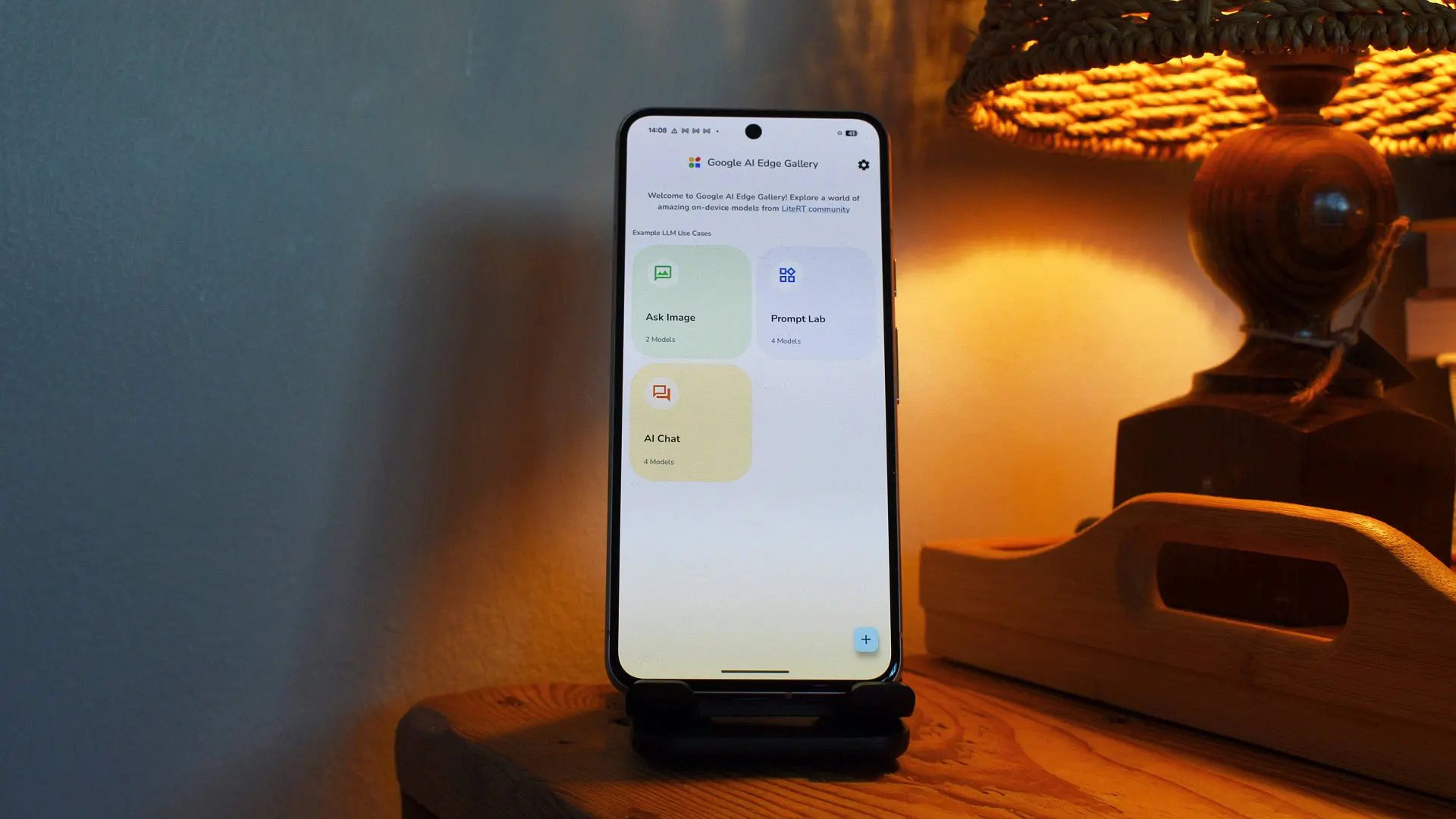
Google's AI Edge Gallery app, which allows users to download and run AI models directly on their devices, has received a substantial update that greatly expands its capabilities. The search giant announced several new features at its I/O developer conference, focusing on enhancing user interaction and integration with other services. Chief among these are persistent chat history, notification-based reminders, and support for the Model Context Protocol (MCP). These additions position AI Edge Gallery as a more compelling option for those seeking a private, offline AI assistant without sacrificing functionality.
Persistent Chat History: Never Lose Your Context
One of the most user-requested features for any AI assistant is the ability to maintain context across sessions. Google has now answered that call by introducing persistent chat history in AI Edge Gallery. This means that when you start a conversation with an on-device model, all previous messages – including any generated media like images or text – are saved locally. When you return to the app later, the conversation resumes exactly where you left off. This is particularly useful for ongoing tasks such as research, project planning, or creative writing, where continuity is crucial. Unlike cloud-based AI, where chat history is often stored remotely and may raise privacy concerns, AI Edge Gallery keeps everything on the device, ensuring that sensitive information never leaves your control.
Proactive Reminders: AI That Nudges You
Another powerful addition is the notification reminder functionality. Users can now instruct the AI agent to set reminders that trigger local notifications. For example, you might say, 'Remind me to log my mood every night at 10 PM.' When the time comes, a notification appears on your device. Tapping it opens the AI Edge Gallery app directly to the appropriate tool, with the Gemma 4 model ready to assist. This feature enables the creation of daily routines – such as a morning digest that checks your calendar, weather, and to-do list before you leave the house. Google emphasizes that these reminders are processed entirely on-device, ensuring that no data is sent to the cloud. The app can also track mood and wellness over time if you use it consistently, effectively functioning as a personal wellness coach without compromising your privacy.
MCP Support: Connecting AI to Your Digital World
Perhaps the most transformative feature in this update is support for the Model Context Protocol (MCP). MCP is an open-source standard that provides a uniform way for on-device AI models to interact with other applications and services. While cloud-based AI often connects to third-party APIs, on-device AI traditionally operates in a sandbox. MCP changes that by allowing AI Edge Gallery to communicate with MCP servers, which can be hosted on a home computer, a local network, or even in the cloud. Google has demonstrated several practical use cases: connecting to a Google Workspace MCP server enables the AI to check your calendar for upcoming events, search your email for bills or travel confirmations, or even draft responses. A Google Maps MCP server allows the AI to answer questions about nearby points of interest, estimate travel times, or provide directions. Additionally, a web MCP server lets the AI access a specific URL to retrieve news articles or documentation, which it can then summarize or analyze. This opens up a vast range of possibilities, from automating daily tasks to performing complex research – all while keeping the core AI processing on your device.
Background and Context: The Rise of On-Device AI
The AI Edge Gallery app was first launched in early 2025 as part of Google's strategy to bring powerful AI models directly to mobile devices. Unlike cloud-based alternatives such as Google Gemini or ChatGPT, which require constant internet connectivity and send user prompts to remote servers, on-device AI offers several key advantages: lower latency, offline availability, and enhanced privacy. The initial version of AI Edge Gallery provided a curated selection of models from Google's Gemma family, optimized for mobile hardware. Users could download any model of their choice and run it locally, with no data leaving the device. However, early adopters noted limitations: chat sessions were ephemeral, there were no proactive features, and the app could not interact with other services.
These new features directly address those shortcomings. Persistent chat history makes the app viable for long-term projects. Notification reminders introduce a degree of proactivity previously reserved for cloud assistants. And MCP support effectively gives on-device AI a 'backdoor' to the wider digital ecosystem, albeit one that the user controls. This approach aligns with Google's broader push for 'ambient computing' where AI assists seamlessly without being intrusive. For example, a user might set up a morning routine where the AI checks their calendar, pulls news headlines from a web MCP server, and then presents a digest in the AI Edge Gallery app – all without any prompts from the user beyond the initial setup.
Technical Considerations and Use Cases
Implementing these features on-device presents unique technical challenges. Persistent chat history requires local storage management to prevent the database from growing too large, especially for users who engage in long or frequent conversations. Google has likely implemented compression and pruning strategies to keep storage usage manageable. Notification reminders rely on the Android notification system, which is already designed for local scheduling; the AI model simply generates the reminder intent based on natural language instructions. MCP support is the most complex, as it requires a local server that listens for requests from the AI model. Google provides SDKs and documentation for developers to create their own MCP servers, encouraging an ecosystem of compatible services.
The potential use cases are vast. For instance, a journalist could use AI Edge Gallery to summarize a series of web articles (fetched via an MCP web server), then draft an email to an editor (via Workspace MCP) – all offline. A frequent traveler might ask the AI to check Maps MCP for real-time traffic or public transit schedules, then set a reminder for when to leave. Students can use the app to review class notes stored locally, with the AI providing flashcards and quizzes. Because everything runs on the device, there is no need for a data plan or Wi-Fi, making this ideal for rural areas, airplanes, or privacy-conscious users.
Implications for Privacy and Security
One of the primary selling points of on-device AI is privacy. By keeping all data processing local, users avoid the risks associated with sending sensitive information to cloud servers. However, MCP servers introduce a potential vector for data leakage – if the server is cloud-based. Google addresses this by allowing users to host MCP servers on their own home computer or local network, ensuring that data never leaves the user's control. The notification and chat history features are entirely local, with no cloud components. Google has also certified that the Gemma models used in AI Edge Gallery are designed to run within a sandboxed environment, further minimizing security risks. As with any AI, users should still exercise caution when granting the model access to emails or calendars, but the architecture provides a much higher privacy baseline than cloud alternatives.
Industry Reactions and Future Outlook
The tech community has responded positively to these updates, noting that they address key pain points for on-device AI. Some analysts have drawn comparisons to Apple's on-device AI efforts and Microsoft's offline capabilities. While Google is not the only player in this space, the combination of a curated model library, proactive features, and MCP integration gives AI Edge Gallery a unique advantage. The company has hinted at further expansions, including support for more model families and additional MCP connectors. For now, users can download the latest version of AI Edge Gallery from the Google Play Store (it is free), and start experimenting with the new features. Google recommends devices with at least 8GB of RAM for optimal performance, though the app can run on lower-end hardware with reduced model sizes.
In summary, Google's latest updates to AI Edge Gallery represent a significant leap forward for on-device AI. By adding persistent chat history, proactive notifications, and MCP support, the app now offers a practical, private alternative to cloud-based assistants. Users who have been hesitant to rely on offline AI due to limited functionality will find much to appreciate in this new version. Whether you need a digital assistant that works offline, values your privacy, or simply wants to experiment with cutting-edge AI technology, AI Edge Gallery is becoming a must-try tool.
Source: Android Authority News