

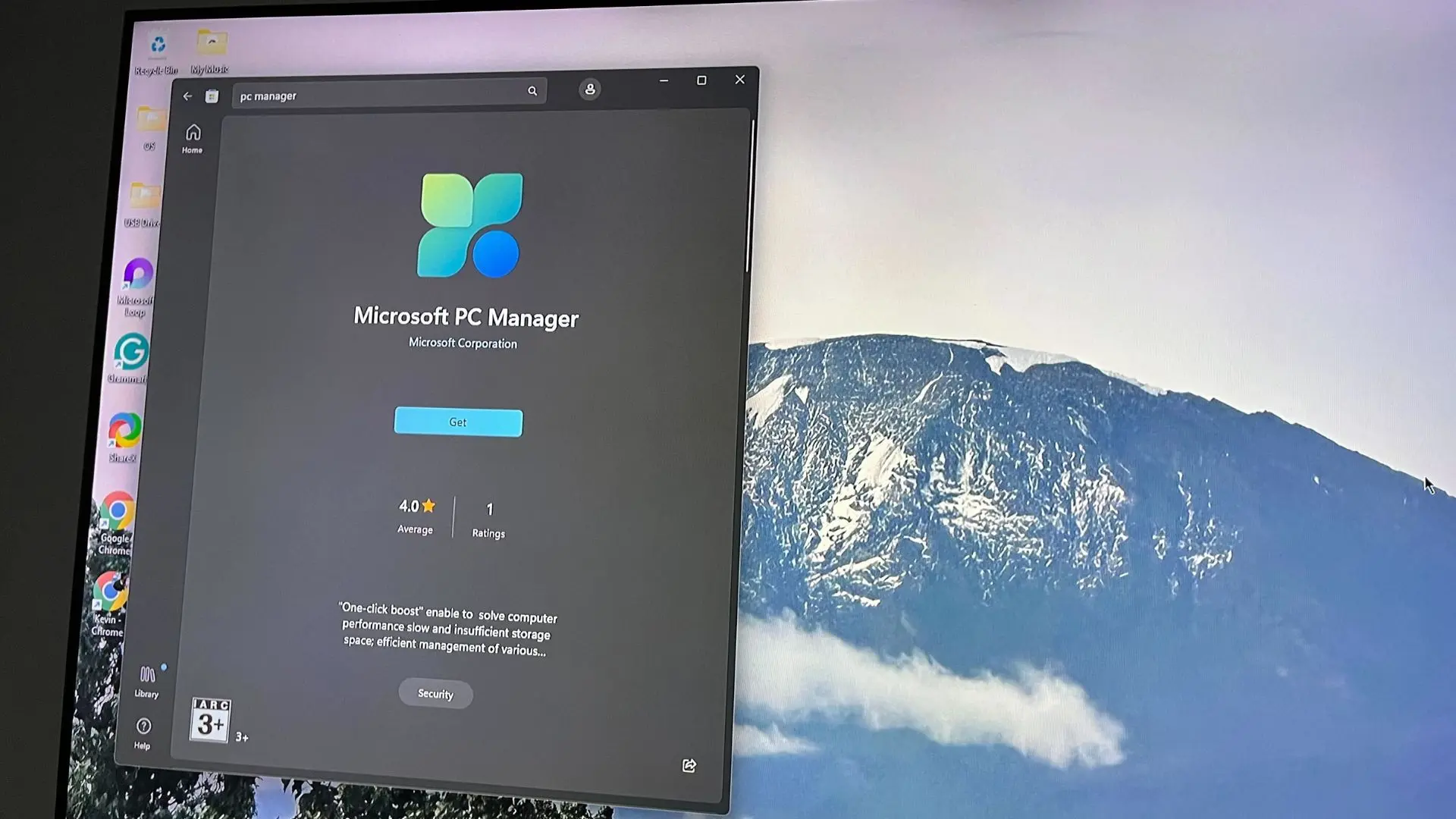
Microsoft has long been known for its operating system and productivity software, but in recent years, the company has also ventured into system optimization tools. One such tool is the Microsoft PC Manager, a utility designed to help users clean up junk files, manage startup items, and protect their privacy. However, as the title suggests, this application is region-locked, meaning it is not officially available to all Windows users globally. After getting my hands on it, I can confidently say that this is a tool that deserves a worldwide release.
What is Microsoft PC Manager?
Microsoft PC Manager is a free utility that aims to simplify system maintenance for Windows users. It combines several essential functions into a single, easy-to-use interface. The tool was initially launched in China and remains largely restricted to that market. While there are ways to bypass the region lock, the official stance is that it is intended for specific regions. This has left many users curious about its capabilities and frustrated by its unavailability.
The application features a dashboard that displays key system metrics such as memory usage, storage space, and battery health (for laptops). It also offers a one-click boost to free up RAM and a health check that scans for issues. The primary functions include disk cleanup, startup management, and privacy protection. In many ways, it competes with third-party tools like CCleaner, but with the advantage of being from Microsoft itself.
Key Features in Detail
Disk Cleanup
The disk cleanup tool scans for temporary files, cache, and other unnecessary data that accumulate over time. It provides a clear breakdown of what can be safely removed, similar to Windows' built-in Disk Cleanup but with a more user-friendly interface. It also identifies large files that might be taking up space, allowing users to review and delete them manually. During my tests, it successfully cleaned over 5GB of junk from a system that had not been cleaned in months.
Startup Management
Managing startup programs is critical for boot times and overall performance. PC Manager lists all applications that automatically launch when Windows starts and allows users to enable or disable them with a simple toggle. It also provides information on each program's impact on startup speed, helping users make informed decisions. This feature is particularly useful for non-technical users who may not know how to access the standard startup settings in Windows.
Privacy Protection
One of the standout features is the privacy protection module. It helps users clear browsing history, cookies, and other traces of online activity from popular browsers like Chrome, Edge, and Firefox. It also provides options to disable telemetry settings and manage app permissions. Given growing concerns about data privacy, this integrated approach is a welcome addition. The tool also includes a pop-up blocker for intrusive notifications.
Performance Boost
While not a magic bullet, the performance boost feature reclaims memory by ending unnecessary background processes. It also disables certain animations and visual effects temporarily to free up resources. In my experience, it provided a noticeable improvement on older hardware, though the effects are temporary. The tool also includes a gaming mode that optimizes system resources when playing games.
Why Is It Region-Locked?
The region lock of Microsoft PC Manager is puzzling to many. Microsoft has not publicly detailed the reasons, but there are several theories. One possibility is that the tool is being tested in a controlled environment before a global rollout. China is a huge market with unique software needs, and PC Manager might be tailored to local preferences. Another reason could be partnerships with third-party security vendors, such as Kaspersky or Avast, which provide some features in the tool. These partnerships may be limited to certain regions.
Additionally, Microsoft might be concerned about cannibalizing its own Windows built-in tools or third-party utilities that are already popular worldwide. However, given the positive reception, it seems unlikely that a global release would harm the ecosystem. In fact, many users have voiced their desire for an official international version.
How to Access It (If You Must)
For those willing to bypass region restrictions, there are unofficial methods. The most common involves changing the system locale to China and downloading the app from the Microsoft Store. Some users also use VPNs to pretend they are in a supported region. However, these workarounds come with risks, including potential compatibility issues or lack of updates. Microsoft does not officially support such usage, and the tool may not work as intended outside its intended region.
I experienced no major issues during my testing, but I cannot guarantee the same for everyone. It's worth noting that the app does not contain any malware or adware, which is a relief given the trend of bundled software in system utilities. Still, users should exercise caution when using unofficial methods.
Comparison with Competing Tools
How does PC Manager stack up against alternatives like CCleaner, Wise Disk Cleaner, or the built-in Windows tools? In terms of features, it is fairly comprehensive. CCleaner offers more advanced registry cleaning and software updating, while PC Manager focuses on the essentials. The advantage of PC Manager is its integration with Windows and its clean, modern interface that feels native. It also lacks the intrusive ads that plague many free third-party utilities.
Another competitor is the Windows 10/11 Settings app, which has improved over the years but still lacks the one-click optimization that PC Manager provides. For average users who want a simple way to maintain their system without diving into complex settings, PC Manager is an excellent choice. It even includes a built-in system restore point creator, which adds a layer of safety.
The Need for a Global Release
The strongest argument for a global release is the tool's quality and utility. It reduces the need for users to download potentially harmful third-party cleaners. Many users are unaware of the junk files accumulating on their systems, and a simple, safe tool from Microsoft could encourage better maintenance habits. With Windows already installed on billions of devices, having a first-party maintenance utility would be a massive step forward.
Furthermore, competitors like Apple's macOS include utilities like Disk Utility and Storage Management, but Windows has traditionally relied on third parties. Microsoft has made strides with features like Storage Sense, but PC Manager goes further by providing a unified dashboard. A worldwide version could also help Microsoft gather telemetry data to improve the tool further, though this raises privacy concerns.
Some might argue that power users already have their preferred tools, but PC Manager is clearly aimed at the mainstream audience. It could be particularly beneficial for less tech-savvy individuals who want to keep their PCs running smoothly without learning advanced troubleshooting. As remote work and digital dependence grow, such tools become even more relevant.
Potential Downsides
No tool is perfect, and PC Manager has its limitations. It does not include a driver updater or a duplicate file finder, which some users may want. The privacy protection module only clears browser data and does not address Windows telemetry comprehensively. The performance boost is temporary and may require frequent use. Additionally, the region lock itself is a major drawback, as it prevents many from even trying it.
There are also concerns about bloatware. While the app itself is lightweight, some fear that if it becomes pre-installed on new PCs, it might be seen as unnecessary software. However, given that it is optional and not forced upon users, this is a minor issue. The tool respects user choice and does not run in the background unless opened.
Another point is that the app's interface is primarily in Chinese for now, though it can be switched to English via settings or by making changes to the system. An official global version would naturally include full multilingual support, removing this barrier.
The Verdict: A Must-Have Tool That's Unfairly Restricted
After spending considerable time with Microsoft PC Manager, I am genuinely impressed. It is a well-designed utility that covers the basics of system cleaning, startup management, and privacy protection without overwhelming the user. It does not pretend to be a Swiss Army knife, but what it does, it does well. The fact that it is region-locked is a disservice to Windows users worldwide.
I hope Microsoft recognizes the demand and launches PC Manager globally. In the meantime, those who are willing to take the risk can access it via unofficial methods. But the best outcome would be an official international release, complete with regular updates and support. Until then, many of us will simply wish we could have it.
Microsoft's PC Manager is a glimpse into what a first-party system optimization tool could be. It respects user autonomy, provides useful functions, and does so in a clean, ad-free environment. It may not be the most advanced tool on the market, but it fills a gap that many users didn't know existed. If you ever get the chance to try it, you'll likely agree that it's a region-locked treasure that deserves to be shared.
Source: Windows Central News